01
ALWAYS ON
Built for the screen across the room
Large, glanceable maps and information cards are designed to stay visible without constant clicking or babysitting.
ChronAlert turns a Windows or Linux PC into an always-on display for severe weather, radio conditions, space weather, hurricanes, earthquakes, emergency alerts and live ham activity.
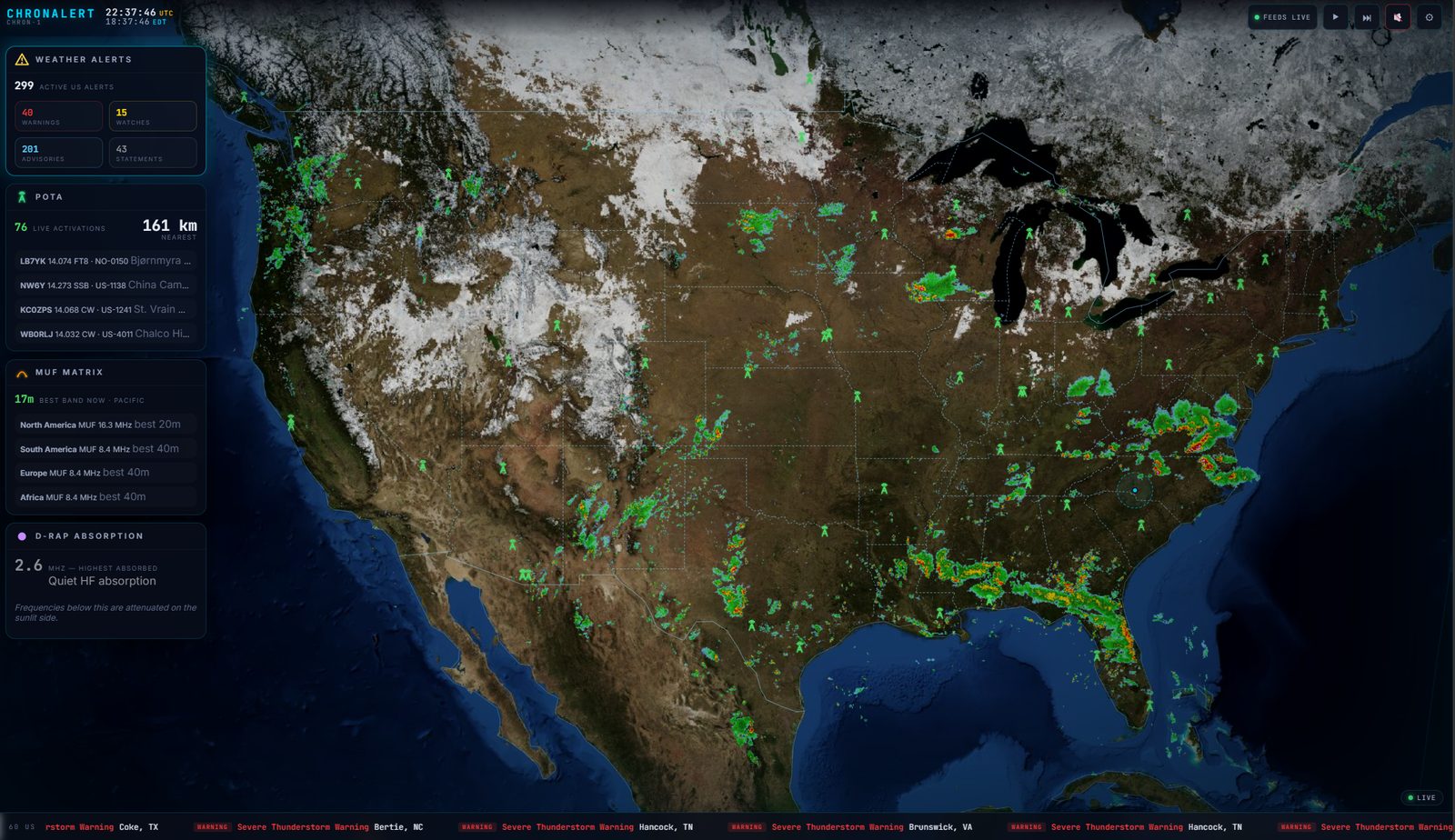
ChronAlert is meant to stay on. Saved Panels rotate automatically, live feeds continuously update, and the same installation can be viewed from TVs, tablets, phones, Firesticks and other computers across your local network.
Large, glanceable maps and information cards are designed to stay visible without constant clicking or babysitting.
Create views for weather, ham activity, space weather, local awareness or world events and let ChronAlert cycle them automatically.
Every critical source is graded LIVE, STALE or OFFLINE. ChronAlert never quietly presents old data as current.
No ChronAlert cloud backend is required. Public data comes directly to your own computer and your display remains under your control.
Your QTH is built in. Pro expands that to multiple Watch Zones for family, repeaters, property, events or other locations.
POTA, PSK Reporter, NWS alerts, radar, lightning, hurricanes, earthquakes, space weather and national alerts share one display.
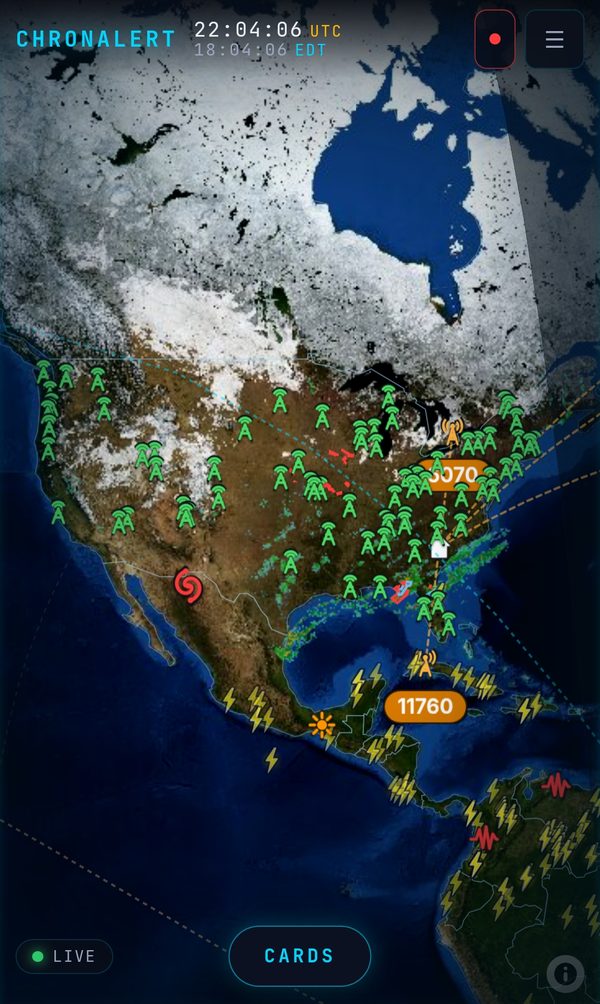
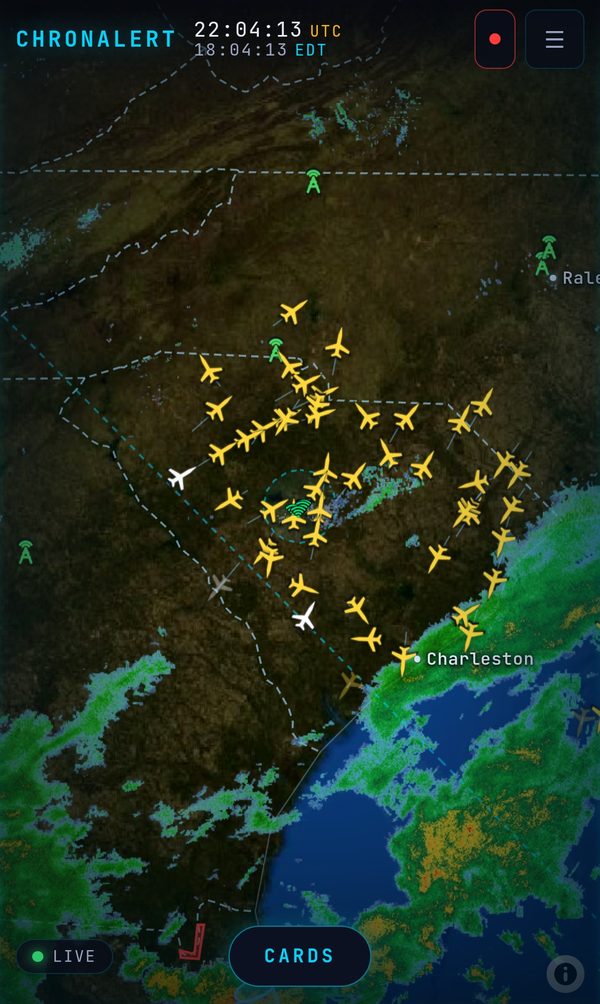
Real screens from a live ChronAlert, not mockups. Every one is a Panel someone built in a couple of minutes - pick the feeds, pick the view, and ChronAlert keeps it current around the clock.
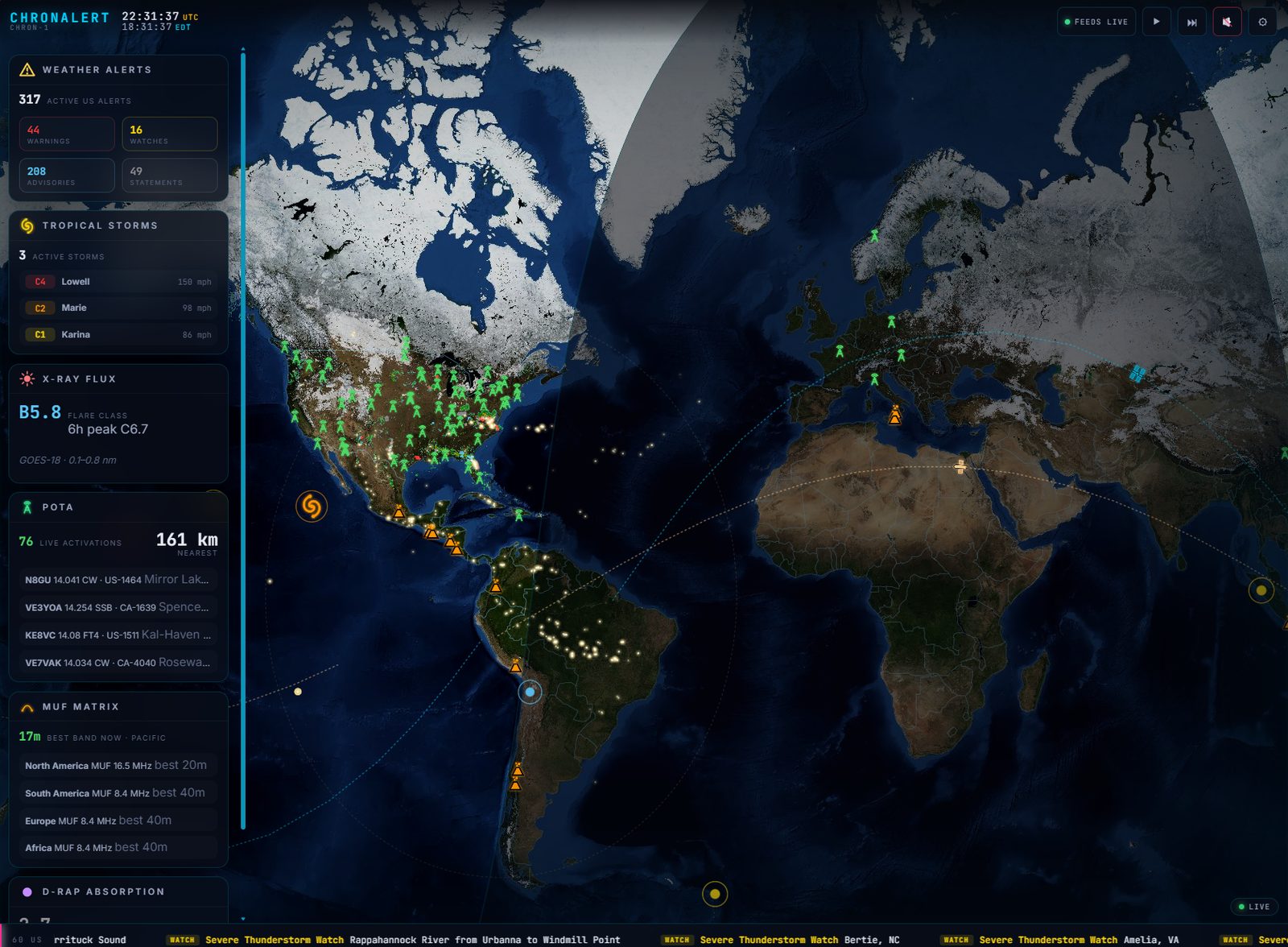
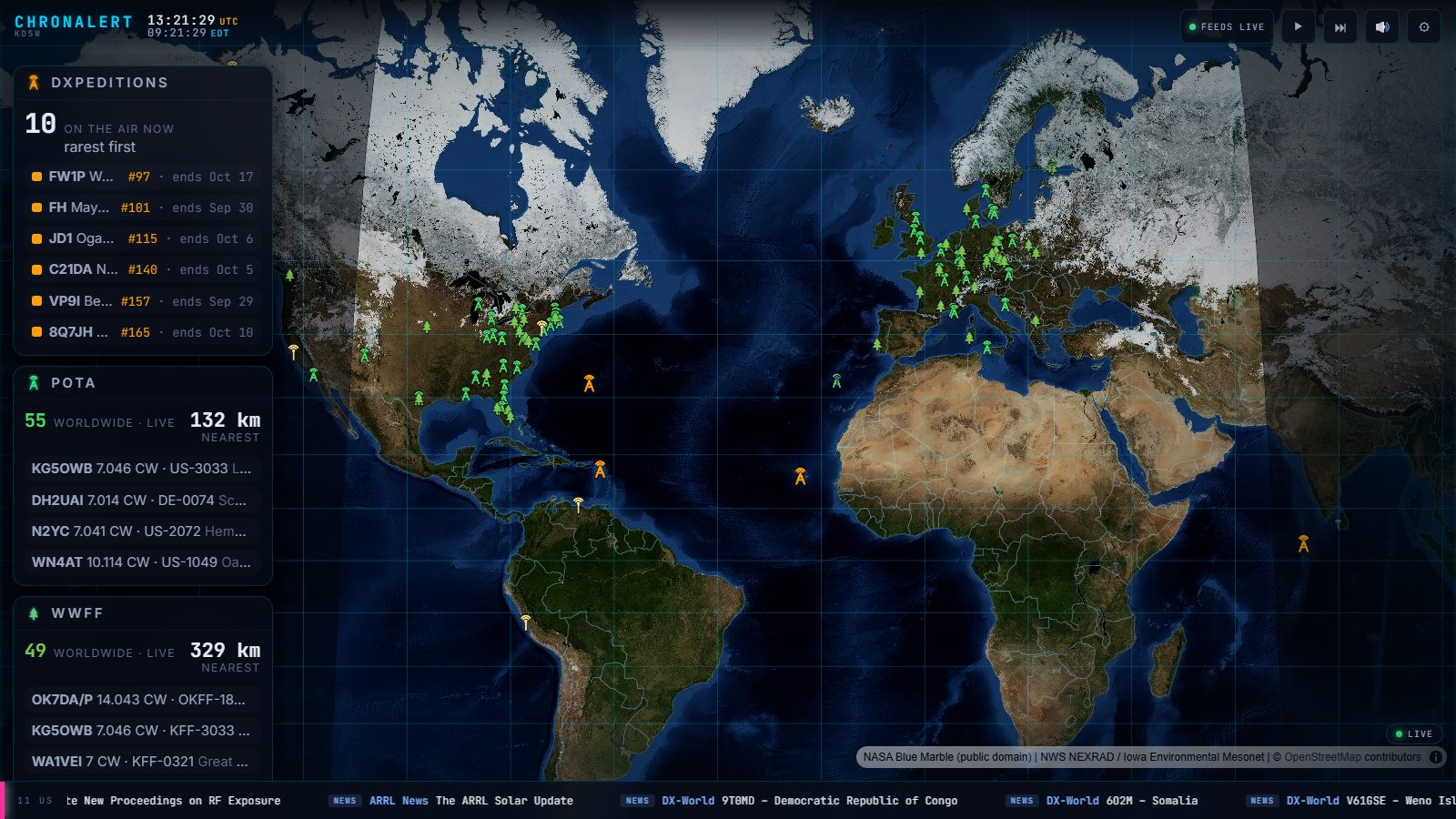
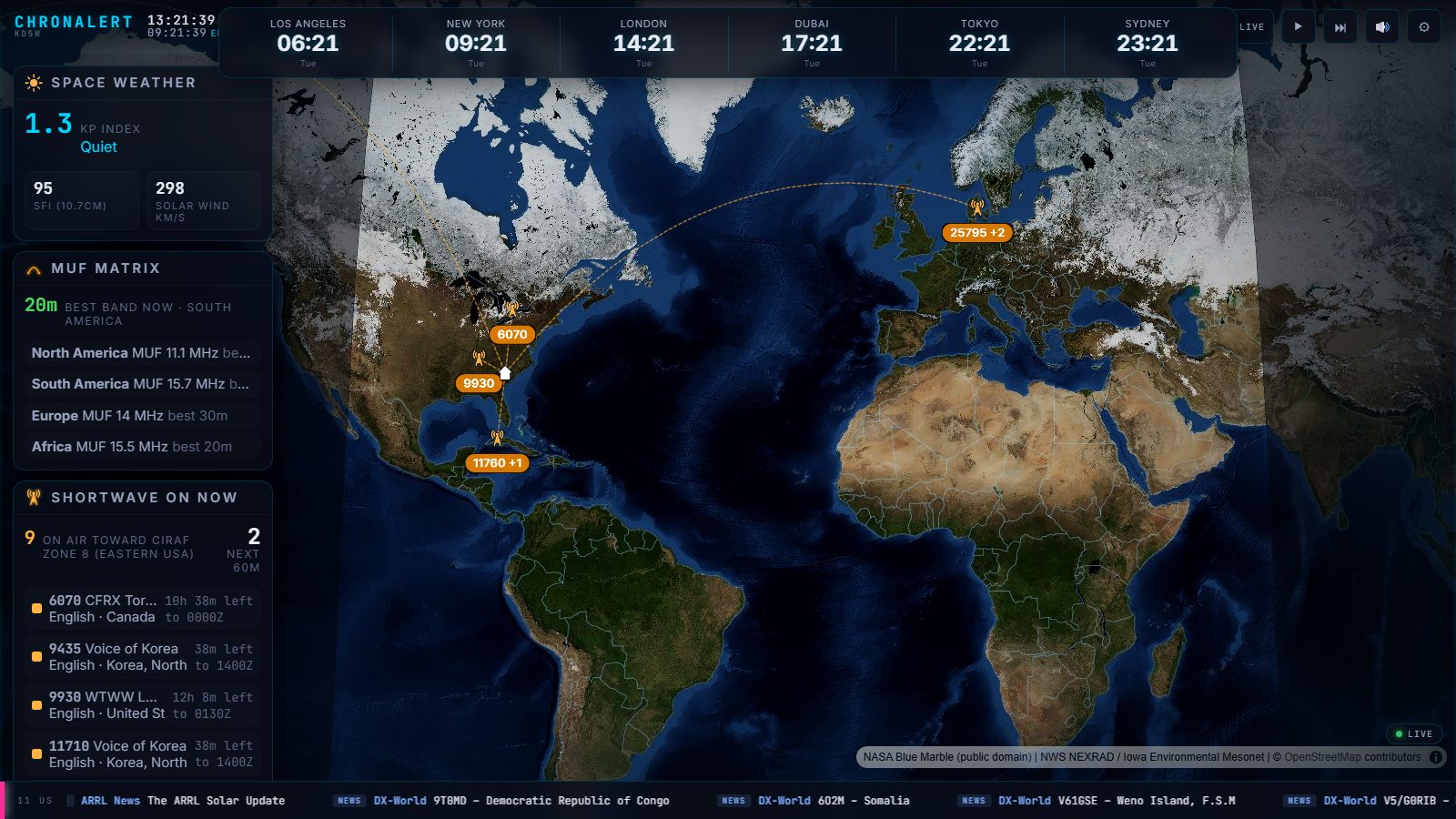
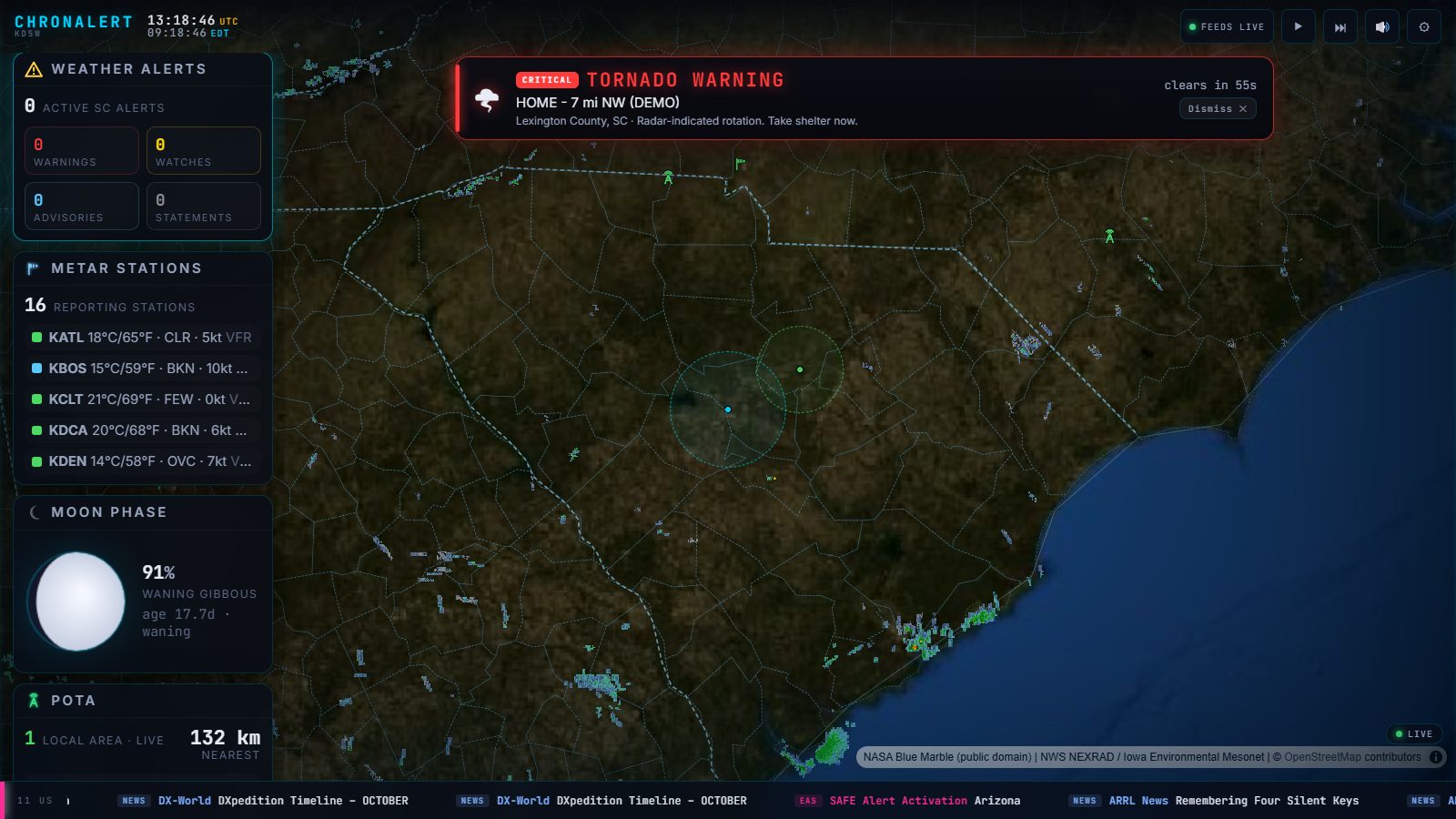
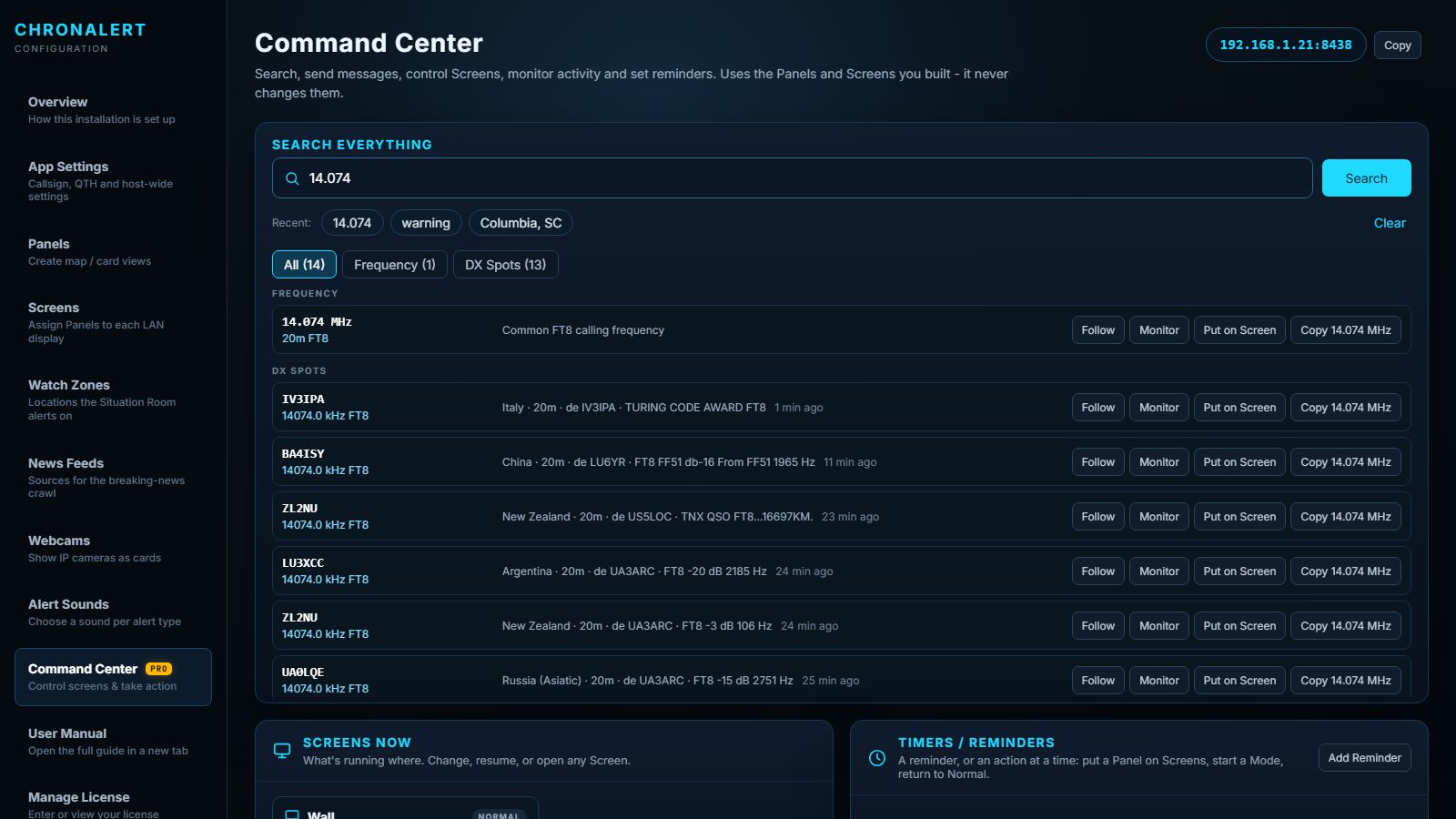
Situation Room changes ChronAlert from passive display to active awareness. A critical event can interrupt the normal rotation, move the map to the event, force the right layers on, correlate related feeds, and return to normal when the incident clears.

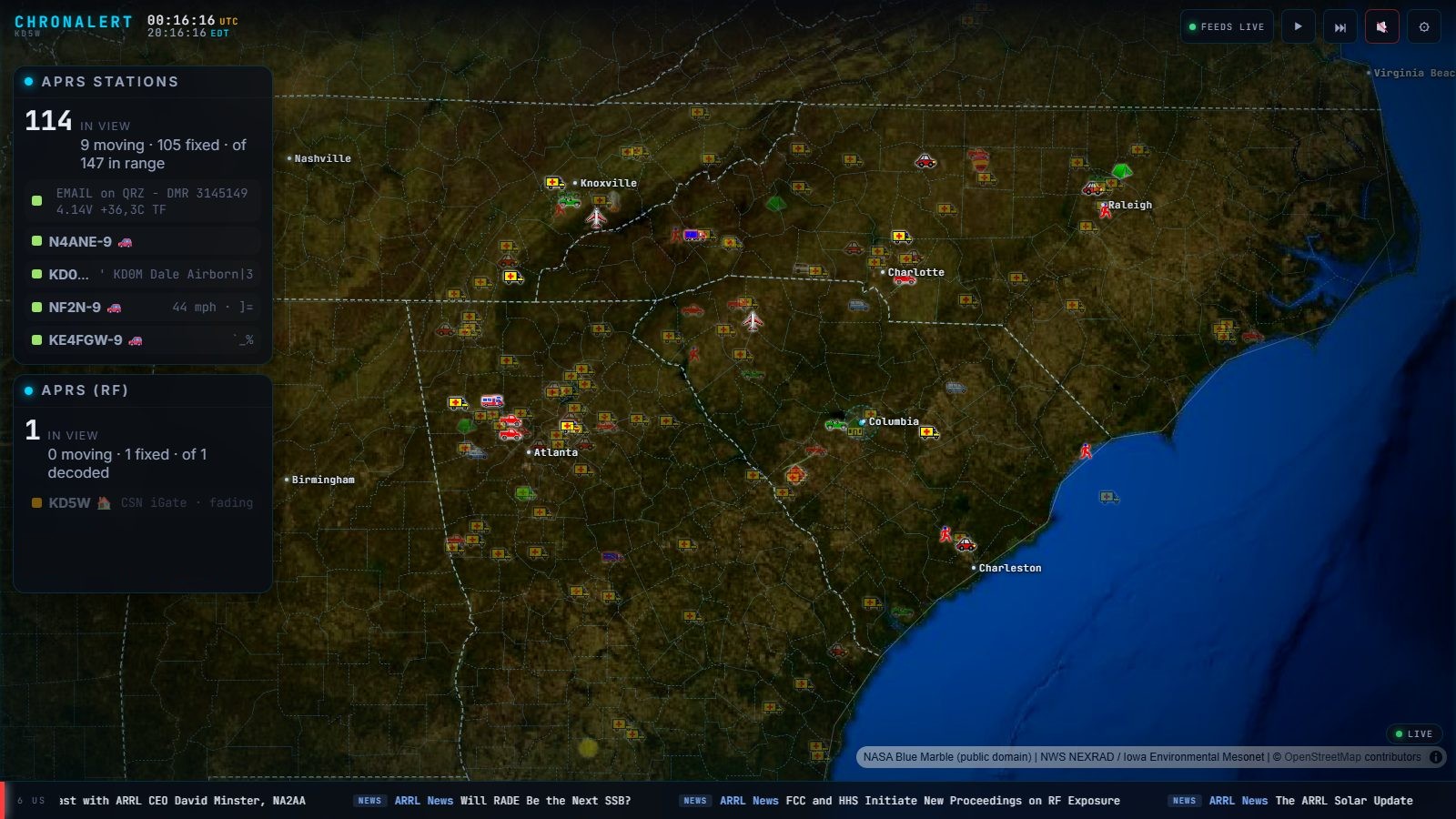
ChronAlert shows APRS two ways: every station around you from the APRS-IS network, and the stations your own RTL-SDR hears over the air through direwolf. Both land on the same map with standard APRS symbols and trails.
Standard APRS station symbols with trails, a filter for which station types you see, ChronAlert starting and stopping your decoder for you, and APRS messages on their own card - all on the same wall as your weather, alerts and HF conditions.
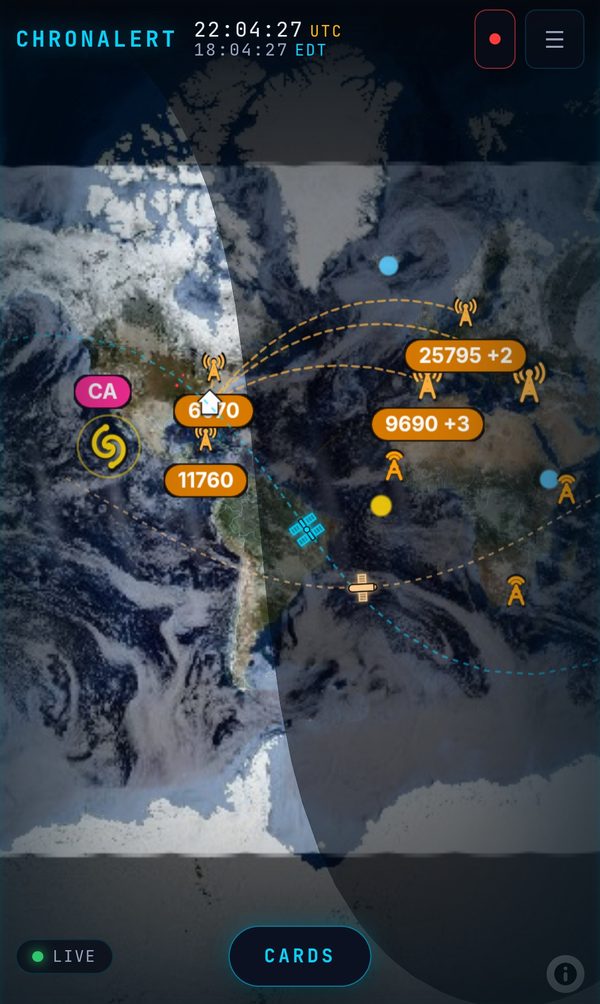
Open ChronAlert in your phone's browser and it switches to a phone layout on its own. The map fills the screen, the controls tuck into a menu, and your cards slide up with one tap on CARDS. Drag and pinch to move around, upright or sideways. No app to install and nothing to set up.
ChronAlert runs on your own computer and serves your local network, so your phone sees it whenever it is on your Wi-Fi. Want it on the road too? Put your phone on your home network with a VPN such as WireGuard or Tailscale and it works exactly the same, with no ChronAlert cloud in between. Use a VPN rather than opening ChronAlert to the internet.
Free is a useful always-on display. Pro adds the automation, deeper personalization and multi-screen control that make ChronAlert a true situation room.